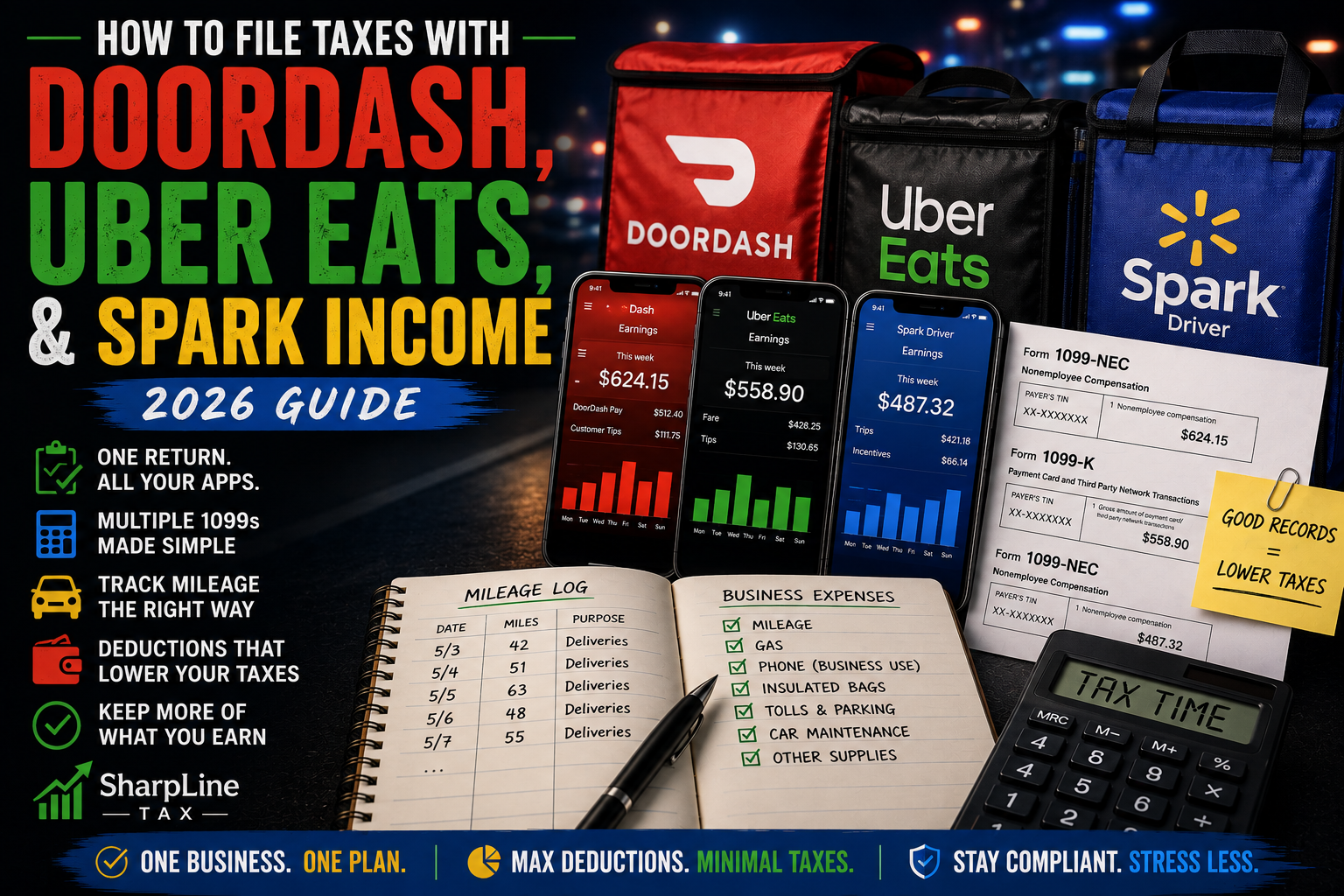
If you drive for DoorDash, Uber Eats, and Walmart Spark, tax season can look complicated.
You might have income from three different apps, multiple 1099s, thousands of business miles, and expenses that apply to more than one platform.
The good news is that multi-app gig taxes don't have to be complicated if you keep good records.
You don't file a completely separate federal income tax return for each delivery app.
Instead, you need to accurately report your business income and expenses and determine how your gig activity fits into your overall tax return.
Here's how to approach DoorDash, Uber Eats, and Spark income for 2026.
Do You Have to Report Income From Every Gig App?
Yes.
Gig economy income is generally taxable even if the work is part-time, temporary, or a side hustle.
That means you need to account for income earned from:
DoorDash
Uber Eats
Walmart Spark
Instacart
Grubhub
Amazon Flex
Other gig platforms you use
Don't report only the app that paid you the most.
And don't assume income disappears from your tax return because one platform didn't send you a 1099.
Your own records should show how much you earned from every platform.
What If You Receive Multiple 1099s?
Receiving several tax forms is completely normal for multi-app drivers.
Depending on how your payments are structured, you may receive forms such as:
Form 1099-NEC
Form 1099-K
Other applicable information returns
For certain nonemployee compensation payments made during 2026, the Form 1099-NEC reporting threshold is $2,000.
For third-party settlement organizations, the federal Form 1099-K threshold is generally more than $20,000 AND more than 200 transactions.
But remember:
A 1099 threshold determines when certain information reporting may be required. It does not determine whether your income is taxable.
You generally need to report your taxable gig income even when you don't receive a particular 1099.
Do You Need a Separate Schedule C for DoorDash, Uber Eats, and Spark?
Not necessarily.
This is where multi-app drivers often get confused.
Receiving three different 1099s doesn't automatically mean you need three Schedule Cs.
Schedule C is used to report profit or loss from a sole proprietorship.
If your DoorDash, Uber Eats, and Spark activity is part of the same delivery business, the income and expenses may generally be reported together as one business.
For example, someone who spends the evening switching between DoorDash, Uber Eats, and Spark while operating one delivery business may have a different situation from someone operating multiple genuinely separate businesses.
If you operate more than one separate business, separate Schedule Cs may be required.
The important point is:
The number of 1099s you receive doesn't by itself determine the number of Schedule Cs you file.
Add Up All of Your Delivery Income
Suppose your 2026 earnings look like this:
DoorDash: $12,000
Uber Eats: $8,000
Spark: $10,000
Total delivery income:
$30,000
If those platforms are all part of the same delivery business, you're looking at the overall activity of that business rather than treating each app as if it exists in isolation.
You then determine the allowable expenses associated with operating the business.
How Do You Track Mileage When You Multi-App?
This is one of the most important issues for multi-app drivers.
You need to track your actual qualifying business driving, not create a separate mileage deduction every time an app is running.
Suppose you're driving five business miles while DoorDash and Uber Eats are both turned on.
You drove five miles.
You didn't drive ten miles simply because two apps were active.
The same mile cannot be deducted twice.
That's why multi-app drivers benefit from maintaining one reliable mileage log covering their overall delivery business.
Your log should generally document information such as:
Date
Business miles
Business purpose
Don't rely exclusively on the mileage estimate from one delivery platform if it doesn't capture all of your qualifying business driving.
The 2026 Mileage Rate Changed Midyear
There's another important mileage issue for 2026.
The IRS standard business mileage rate changed halfway through the year.
For qualifying business miles:
January 1 – June 30, 2026: 72.5¢ per mile
July 1 – December 31, 2026: 76¢ per mile
That means you need to know when your business miles were driven.
Example
Suppose you drove:
8,000 qualifying business miles from January through June
8,000 × $0.725 = $5,800
And:
8,000 qualifying business miles from July through December
8,000 × $0.76 = $6,080
Your simplified standard-mileage calculation would be:
$11,880
You wouldn't simply multiply all 16,000 miles by one rate.
What About Expenses You Use for Multiple Apps?
Many gig-worker expenses aren't specific to one platform.
For example, you might use the same:
Phone
Phone mount
Car charger
Insulated delivery bags
Mileage-tracking app
Vehicle
for DoorDash, Uber Eats, and Spark.
You generally don't need to pretend that you bought three phone mounts because you work for three apps.
You incurred one business expense.
If the expense is ordinary and necessary for your delivery business and otherwise deductible, you account for the qualifying business expense without deducting the same cost multiple times.
For mixed personal and business expenses, only the qualifying business portion is generally deductible.
Standard Mileage vs. Actual Vehicle Expenses
Multi-app drivers also need to understand the two primary methods for calculating vehicle deductions.
Standard Mileage Method
You use your qualifying business mileage and the applicable IRS mileage rate.
Actual Expense Method
You determine the qualifying business portion of actual vehicle expenses, potentially including items such as:
Gas or electricity
Insurance
Repairs
Maintenance
Tires
Registration
Depreciation or applicable lease costs
Other qualifying vehicle expenses
You generally don't get to use the standard mileage rate and then separately deduct vehicle operating costs already incorporated into that rate.
Avoid double-dipping.
How Is Multi-App Business Profit Calculated?
Once you determine your business income and allowable expenses, you can calculate your business profit.
Here's a simplified example:
DoorDash income: $12,000
Uber Eats income: $8,000
Spark income: $10,000
Total business income: $30,000
Allowable business expenses: $11,000
Simplified business profit:
$30,000 − $11,000 = $19,000
That $19,000 business profit is much more relevant to the tax calculation than simply looking at the $30,000 deposited by the apps.
How Does Self-Employment Tax Work With Multiple Apps?
Using multiple apps doesn't create a separate self-employment tax for each app.
Self-employment tax is based on your applicable net earnings from self-employment.
The self-employment tax rate is generally 15.3%, consisting of:
12.4% Social Security
2.9% Medicare
Generally, if your net earnings from self-employment are $400 or more, Schedule SE may be required.
Don't simply calculate 15.3% of each app's gross payouts and add the numbers together.
Your net business earnings and the applicable self-employment tax rules matter.
Federal income tax and applicable state or local taxes may also apply.
What If You Also Have a W-2 Job?
You can have:
W-2 wages + DoorDash + Uber Eats + Spark
all affecting the same individual income tax return.
Your W-2 employer generally withholds taxes from your paycheck.
Your independent-contractor gig platforms generally don't provide the same type of employee withholding.
The withholding from your W-2 job can help cover your overall federal tax liability.
Depending on your situation, you may also be able to increase withholding from your regular paycheck to account for additional gig income.
Do Multi-App Drivers Need Quarterly Estimated Taxes?
Using three apps instead of one doesn't automatically determine whether you need estimated tax payments.
Your overall tax situation matters.
Factors can include:
Total business profit
Other income
W-2 withholding
Filing status
Deductions
Credits
Other tax payments
Some self-employed individuals need estimated payments because enough tax isn't otherwise being paid throughout the year.
Others may have sufficient withholding from a W-2 job.
The important thing is to plan ahead rather than assume every gig worker has the same quarterly-tax requirement.
What Records Should Multi-App Drivers Keep?
If you're using several delivery apps, organization becomes especially important.
Consider keeping records of:
Income
DoorDash earnings
Uber Eats earnings
Spark earnings
Other gig-platform earnings
Forms 1099
Vehicle
Mileage log
Vehicle purchase records when applicable
Actual vehicle expense records if using that method
Qualifying tolls and parking
Other Expenses
Phone bills
Delivery equipment receipts
Business software expenses
Other qualifying business expenses
Other Tax Information
W-2s
Estimated tax payment confirmations
Prior-year tax returns
Applicable state and local tax information
You don't need an overly complicated bookkeeping system.
You need accurate records.
Common Multi-App Tax Mistakes
Avoid these mistakes:
❌ Reporting DoorDash but forgetting Uber Eats or Spark income
❌ Assuming no 1099 means the income isn't taxable
❌ Assuming every 1099 automatically requires a separate Schedule C
❌ Deducting the same business mile twice because two apps were running
❌ Deducting the same phone or equipment expense multiple times
❌ Relying entirely on one app's mileage estimate
❌ Waiting until tax season to reconstruct your mileage
❌ Mixing personal and business expenses without properly allocating them
❌ Using the standard mileage method and separately deducting vehicle operating costs already included in the rate
❌ Calculating self-employment tax from gross app payouts instead of understanding net earnings
Frequently Asked Questions
Can I file DoorDash, Uber Eats, and Spark on the same tax return?
Yes. Your different sources of income can all be included as part of your individual federal income tax return.
How the business activity is organized on Schedule C depends on whether you're operating one business or multiple separate businesses.
Do I need three Schedule Cs if I use three apps?
Not automatically.
The number of apps or 1099s doesn't by itself determine the number of Schedule Cs.
If the apps are all part of one delivery business, they may generally be reported together. Separate businesses generally require separate Schedule Cs.
Can I deduct mileage from all three apps?
You may deduct qualifying business mileage, subject to the applicable rules.
But you cannot deduct the same mile multiple times simply because multiple apps were active.
What if one app doesn't send me a 1099?
You generally still need to report your taxable income from that platform.
Keep your own earnings records throughout the year.
Can I deduct my phone if I use it for all three apps?
The qualifying business-use portion of certain phone expenses may generally be deductible.
Using the phone for several gig apps doesn't mean you get to deduct the same expense several times.
Does multi-apping increase my taxes?
Using multiple apps doesn't create a special multi-app tax.
What matters is the income and profit generated by your overall business activity and the rest of your tax situation.
The Bottom Line
If you make money with DoorDash, Uber Eats, and Spark, don't think of tax season as three completely separate problems.
Think about your overall delivery business.
Track all of your income.
Maintain one accurate record of your qualifying business mileage.
Keep documentation for legitimate business expenses.
Don't duplicate mileage or expenses just because you use multiple apps.
And don't assume multiple 1099s automatically mean multiple Schedule Cs.
Good records make multi-app taxes much easier to handle.
Related Gig Worker Tax Resources
Continue learning with these SharpLine Tax guides:
The Complete DoorDash Tax Guide for 2026
How Do Uber Eats Drivers File Taxes? 2026 Guide
The Complete Walmart Spark Driver Tax Guide for 2026
The Complete Gig Worker Tax Guide for 2026
The Complete Mileage Deduction Guide for Gig Workers
What Records Should DoorDash Drivers Keep for Taxes?
DoorDash Taxes With a W-2 Job
Do DoorDash Drivers Pay Self-Employment Tax?
Need Help Filing Your Gig Worker Taxes?
At SharpLine Tax, I specialize in tax preparation for gig workers and independent contractors.
Whether you drive for DoorDash, Uber Eats, Spark, or several apps at the same time, I can help you organize your income, mileage, and business expenses and prepare your return.
Ready to stop guessing and get your gig worker taxes handled correctly? Get started with SharpLine Tax and let me help you make sure your income, mileage, and deductions are properly accounted for.
